
Apply for Duplicate Drug Licence in Tamil Nadu – DCA-405
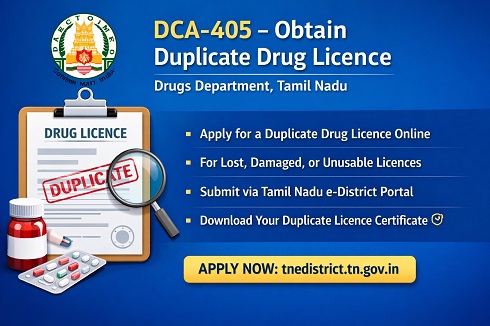
Service Code: DCA-405 | Department: Drugs Department
Purpose
The Obtain Duplicate Licence (DCA-405) service enables existing drug licence holders in Tamil Nadu to apply for a duplicate copy of their licence through the Tamil Nadu e-District (e-Sevai) portal.
This service is applicable when the original licence is lost, damaged, destroyed, or rendered unusable. The online process ensures transparency, proper verification, and timely issuance of the duplicate licence by the Drugs Control Department.
This Service Is Intended For
- Licence holders who have lost the original drug licence
- Licence holders whose licence is damaged or illegible
- Retailers, wholesalers, or other licensed entities holding a valid drug licence issued in Tamil Nadu
Required Information
Mandatory Details:
- Existing Drug Licence Number
- Name of the firm / licence holder
- Reason for applying for duplicate licence
- Applicant and contact details
Special Requirements
Auto-Population of Details:
Upon entering the existing licence number, available licence details are automatically fetched in the application form.
Reason Declaration:
Applicants must clearly specify the reason for requesting a duplicate licence (loss, damage, etc.).
Validity Check:
Duplicate licence is issued only for a valid and existing licence.
Step-by-Step Application Process
1. Visit the Portal
Login to the Tamil Nadu e-Sevai / e-District portal using valid operator credentials.
2. Navigate to the Service
Click Services → Drugs Department → DCA-405 Obtain Duplicate Licence.
3. Enter Licence Details
- Enter the existing Licence Number
- Verify auto-populated licence details
4. Enter Applicant Details
- Confirm applicant name and firm details
- Update contact information if required
5. Provide Reason for Duplicate Licence
Select or enter the reason for requesting a duplicate copy.
6. Submit Application
Click Submit to generate the Application Number.
Upload Required Documents
Applicants must upload the required supporting documents, which may include:
- Declaration regarding loss or damage of licence
- Copy of FIR (if applicable)
- Proof of identity of licence holder
- Any additional documents as prescribed by the portal
All documents must be uploaded in the prescribed format and size.
Payment Process
After document upload:
- Click Make Payment
- Pay the applicable government fee and service charges
- Confirm payment to complete application submission
Acknowledgement and Tracking
- Download and print the Acknowledgement Receipt
- Track application status under Submitted Applications
- Incomplete applications remain under Saved Applications
Physical Submission of Documents
Applicants must submit physical copies of mandatory documents to the concerned Drugs Control Department office.
The Acknowledgement Number must be clearly mentioned on the document cover.
Downloading Duplicate Licence Certificate
Once the application is approved and digitally signed:
- Go to Check Status
- Enter the Application Number
- Click Search
- Click Download Certificate once approved
The duplicate licence can then be issued to the applicant.
Important Notes
- Duplicate licences are issued only for valid licences
- Providing false information may result in rejection
- Licence holders must preserve the duplicate licence carefully
- Issued certificates can be verified online through official verification systems
Apply Online
https://tnedistrict.tn.gov.in
Assistance
Applicants may approach the nearest e-Sevai / CSC centre for guidance and support.
Top Stories
-
 Chennai Evening Gold Rate: Gold Price Falls by ₹960 per Sovereign12/Oct/2026 7:07:30 PM
 -
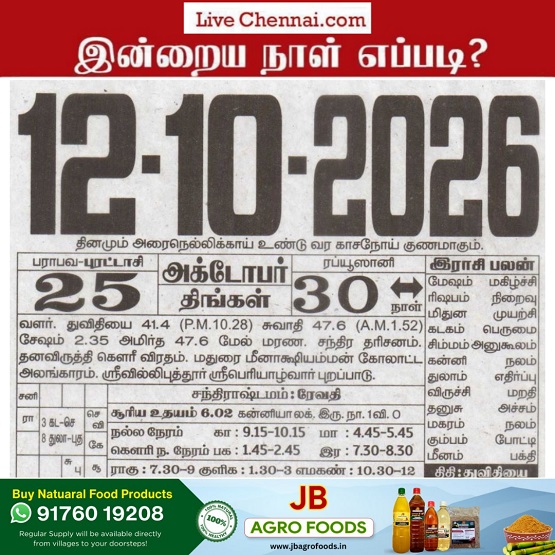 Tomorrow Panchangam October 13, 2026 | Auspicious Timings, Rahu Kalam, Gulikai12/Oct/2026 6:09:31 PM
 -
 E. Udayakumar: Building Bridges of Trust in India’s Construction Industry12/Oct/2026 5:38:31 PM
 -

-
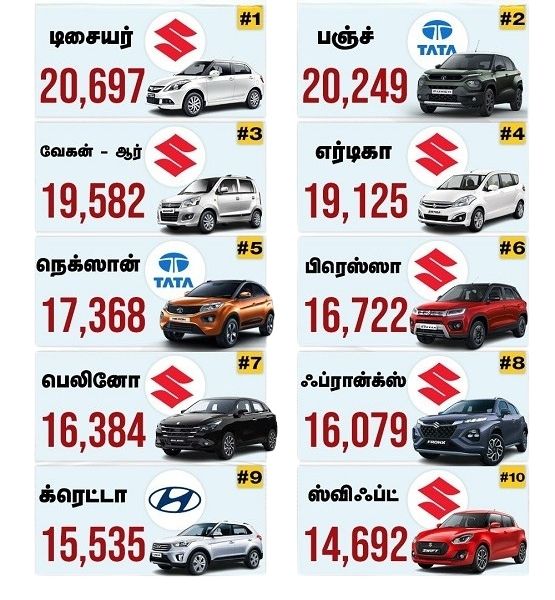 Top 10 Best-Selling Cars in India September 2026: Maruti Baleno Leads12/Oct/2026 5:09:03 PM
 -
 Rising Living Costs Push Chennai Families to Sell Gold Jewellery12/Oct/2026 4:52:16 PM

 JB Soft System