How to Apply for MSB Fire License Registration and Renewal (DFR-401) Online Easily!!
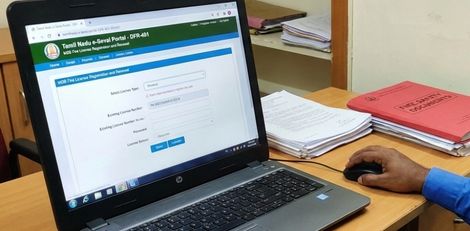

Service Code: DFR-401 - Department: Directorate of Fire & Rescue
Purpose:
The MSB Fire License Registration and Renewal service enables owners and operators of Multi-Storied Buildings (MSB) to obtain a new fire license or renew an existing one through the e-District portal. This service is designed for:
- Building owners of multi-storied constructions requiring statutory fire license
- Facility managers responsible for fire safety compliance in MSB properties
- Property developers seeking fire license for newly completed MSB projects
- Existing license holders needing annual renewal of their fire license
Required Information:
Mandatory Details for New License:
- Complete building and address details of the MSB property
- Comprehensive fire safety system specifications as per NBC requirements
- Contact details of the owner/applicant
- Technical building specifications (floors, area, staircases, lifts, fire protection systems)
For Renewal Applications:
- Existing License Number (Application Number of approved New Fire License)
- Automatic data population of saved details upon entering license number
Special Requirements:
- MSB Classification: Specifically for Multi-Storied Buildings requiring fire license under the Tamil Nadu Fire and Rescue Service Act 1985
- Field Identification: Red asterisk (*) fields are mandatory - Green asterisk fields are optional mandatory
- Renewal Automation: For renewals, simply enter License Number - all saved details auto-populate in the form
- NBC Compliance: All specifications must adhere to National Building Code of India 2005 requirements
- Annual Validity: License valid for ONE YEAR and must be renewed before expiry
Step-by-Step Application/Renewal Process:
1. Access the Portal: Login to the Tamil Nadu e-Sevai Portal as an Operator
2. Navigate to Service:
- Click on Services from the left panel
- Select Directorate of Fire & Rescue from the department list
- Click on DFR-401 MSB Fire License Registration and Renewal
3. Select License Type:
- Specify whether applying for New License or Renewal
- For Renewal: Enter your existing License Number (Application Number of approved New Fire License) - All saved details auto-populate in pre-filled mode
4. Fill the Comprehensive Registration Form (for New License):
Section A: Fire License for MSB
- Specify license type (New/Renewal)
Section B: Building and Address Details
- Enter complete building and site address information
Section C: Contact Details
- Enter owner/applicant contact information
Section D: Building Specifications
- Number of floors with floor area: Detailed floor-wise area specifications
- Staircase details: Internal and external staircase specifications
- Lift details: Number of lifts, capacity of each, availability of service staircase/service lift
- Canteen details: If applicable
- Fire resistance of construction materials: Material fire ratings
- Compartmentation details: Fire compartment specifications
- Means of entry: Entry point details for fire services
- Means of escape: Emergency escape route specifications
Section E: Fire Protection Systems
- Fire protection details: Complete fire safety equipment information
- Fire pumps details: Specifications, capacity, type of pumps
- Communication system: Emergency communication infrastructure
- Generator details: Backup power specifications for fire systems
- Fire lift details: Specialized fire service elevator specifications
Section F: Site and Compliance Details
- Extent of site and set back around building on all four directions (specify separately)
- Details of present inspections to comply with Table 23 in Part IV of NBC of India 2005
5. Submit Application: Click Submit
6. Choose Document Delivery Method:
- Option A: Attach Soft Copies - Upload documents electronically
- Option B: Physical Delivery - Submit documents manually at the center
7. Upload Documents (if Option A selected):
- System displays the list of required documents
- Browse and select documents from your computer
- `Upload` button appears after document selection
- Attach documents in prescribed file size and format
- Uploaded documents appear at bottom of screen for verification
8. Make Payment:
- Click Make Payment after document upload
- Total Fees for the service will be displayed
- Click Confirm Payment to proceed
9. Download Acknowledgement:
- Click Print Receipt to download/print the acknowledgement receipt
- Keep receipt for future reference and tracking
Document Requirements:
Typical Documents Needed:
- Appendix II (as per fire department requirements)
- Trade Licence copy
- Owner Consent Letter or Rental Agreement Form
- Building plans and drawings with fire safety systems
- Fire protection system layouts and specifications
- Previous license copy (for renewals)
- Ownership/authorization documents
- NOC from planning permission (if applicable)
Payment Details:
- Service Fees: As displayed on payment page
- Payment Confirmation: Required to complete application submission
- Fee Structure: Determined by Directorate of Fire & Rescue norms
After Submission:
- Draft Applications: Visible under Saved Application section for incomplete submissions
- Submitted Applications: Viewable under Submitted Application section
- Status Tracking: Check current status from Check Status section using application number
- Receipt Reprint: Acknowledgement receipts can be re-printed from Reprint Receipt section
- Approval Workflow: Application goes to Director/Deputy Director for approval
- Processing Time: As per departmental processing norms
Downloading License Certificate:
1. Check Status: Go to Check Status section
2. Enter Application Number: Your acknowledgement/application number
3. Click Search: System displays application details
4. Download Certificate: Click Download certificate link once status shows "Application Approved" and certificate is digitally signed
5. Handover: Provide downloaded license certificate to applicant
Sample License Information (as per specimen):
- License Number: TN-3620160804101/2016 (Issued)
- Validity: ONE YEAR (e.g., 05/08/2016 to 05/08/2017)
- Building Classification: Group Building
- License Issued Under: Section 13 of the Tamil Nadu Fire and Rescue Service Act 1985
Key Fire License Conditions (as per standard license):
Maintenance & Operations:
- Periodical maintenance of all fire protection equipment and systems to ensure always in good working condition
- "Mock Drill" conducted periodically, date of conduction informed to District Officer in advance
- Trained Fire personnel available to operate systems in case of emergency
- All Fire Fighting equipments kept in good working condition at all times
Building & Structural Requirements:
- Any erection of permanent or temporary structure must be intimated to Fire and Rescue Services Department
- Air-conditioning load must not exceed Electricity Board sanctioned load
- Set back area at all sides maintained to withstand 45 tons weight of fire fighting vehicle
- House keeping - dumping of waste material avoided, dust bins cleared frequently
Escape Routes & Exits:
- Emergency FIRE Exit doors open from floor to staircase only (not the other way round)
- Doors should have red reflector & arrow marks commensurate with staircase gradient
- Alternate staircase kept free without any obstruction
- All staircases kept open during office hours and usable at any point of emergency
Safety Documentation:
- Do`s & Don`ts in times of emergencies available in laminated hanging pad at telephone operator`s desk and CE/Emergency in-charge officer`s desk
- Fire Order / Contingency plan prepared and displayed in each floor
- Contingency plan to contain Rescue Team members name, designation and contact number
Important Notes:
- Renewal Convenience: All saved details auto-populate when entering existing License Number
- Timely Renewal: Apply before license expiry (valid for ONE YEAR from date of issue)
- Annual Requirement: License must be renewed every year on or before expiry date
- Document Options: Choose between electronic upload or physical submission
- Compliance Mandatory: All conditions must be strictly followed; non-compliance may lead to cancellation or legal action
- Inspection: Subject to inspection by MSB Inspection Committee
- Display Requirement: License should be displayed prominently at the building
Validity Period:
- New License: Valid for ONE YEAR from date of issue
- Renewal License: Valid for ONE YEAR from date of renewal
- Renewal Date: Must be renewed on or before the specified renewal date (e.g., "should be renewed on 05/08/2017")
Apply Online: https://tnesevai.tn.gov.in
Assistance: Visit your nearest e-Sevai / CSC Centre
This guide is based on the Tamil Nadu e-District User Manual (DFR-401). Government of Tamil Nadu, 2016.