
5 Useful ChatGPT Features and Tips You Should Know
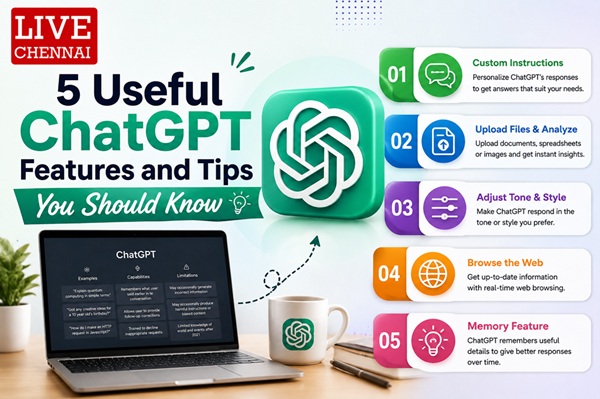
ChatGPT has evolved significantly beyond its original chatbot capabilities. OpenAI has gradually introduced several features that make the platform more useful for coding, image creation, interview preparation, data analysis and online research. Many of these capabilities are also available to free users, making ChatGPT a practical tool for everyday tasks.
Here are five useful ChatGPT tips and features worth exploring.
1. Use ‘Work with Apps’ on macOS for Faster Coding
The Work with Apps feature on the macOS version of ChatGPT allows the chatbot to work directly with supported applications, including coding tools such as Xcode and apps such as Notes.
With ChatGPT becoming context-aware, users can work with information from these applications more efficiently. The feature requires the macOS version of ChatGPT, version 1.2025.057.
For developers and professionals who regularly switch between applications, this can make coding and editing workflows more convenient.
2. Create Photorealistic Images
ChatGPT`s image-generation capabilities have opened up new possibilities for users. In addition to creating artistic images, users can ask ChatGPT to generate photorealistic visuals based on a specific concept or idea.
This can be particularly useful when visualising something that does not exist in the real world. Users can describe the scene, subject or concept they have in mind and ask ChatGPT to create an image.
As with other AI image-generation tools, certain safety restrictions apply to sensitive content.
3. Turn ChatGPT Into an Interviewer
Preparing for an important job interview? ChatGPT Voice can be used as a virtual interviewer.
Users can provide details such as the job role, company and expected interview topics, and then ask ChatGPT to conduct a mock interview. Responding verbally can also help users become more comfortable answering questions under pressure.
It is a simple way to practise before facing a real interviewer.
4. Analyse Large Datasets
Going through a large Excel spreadsheet manually can take considerable time. ChatGPT can help users analyse datasets and generate reports from uploaded files.
Whether it is identifying trends, summarising information or organising data, AI-assisted analysis can reduce the amount of manual work involved and help users understand large datasets more efficiently.
5. Try ChatGPT Search
Instead of relying exclusively on traditional search engines, users can also try ChatGPT Search for online research.
It can provide contextual answers by gathering informationon from multiple online sources and presenting the findings in a conversational format. Sources and links are also provided so users can check the original information themselves.
Final Takeaway
From coding and image generation to interview preparation, data analysis and web search, ChatGPT now offers a much broader range of capabilities than a conventional chatbot. Exploring these features can help users save time and make ChatGPT a more useful part of their everyday digital workflow.
Top Stories
-
 Tamil Nadu Weather Alert: Heavy Rain Likely in Nilgiris, Theni and Coimbatore Today25/Aug/2026 4:54:13 PM
 -
 Gold Prices Remain High in Chennai: Is This a Good Time to Sell Gold?25/Aug/2026 4:47:35 PM
 -
5 Useful ChatGPT Features and Tips You Should Know25/Aug/2026 4:24:07 PM
-
 Vadapalani Murugan Temple, Chennai: History, Architecture, Festivals and How to Reach25/Aug/2026 4:21:39 PM
 -
 Karaoke & Open Mic Night with KJ Sid in Chennai on August 26, 202625/Aug/2026 4:19:17 PM
 -
 Free Aadhaar Biometric Update for Children Until September 30: Where and How to Update25/Aug/2026 3:39:58 PM