
6 Smart Office Setup Tricks That Save Time and Money
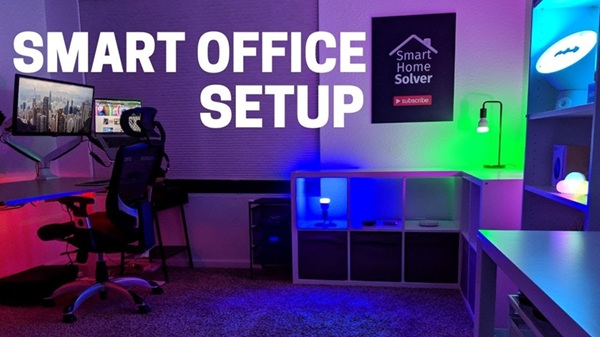
Setting up a new office - or relocating an existing one - can feel like a major project. Between planning the layout, purchasing furniture, installing equipment, and organising supplies, costs and delays can quickly add up.
However, creating a professional and efficient workspace does not have to be overwhelming or expensive. With careful planning and a few smart decisions, you can save time, control costs, and build an office that works well for both employees and clients.
Here are six practical ways to set up a smarter office without stretching your budget.
1. Begin with a Well-Planned Layout
Before moving furniture or buying equipment, create a scaled floor plan of your office. Measure the walls, doors, windows, and available space, then plan where each item should go.
This simple step can prevent costly mistakes, such as ordering furniture that does not fit or creating a layout that restricts movement.
A few useful tips:
- Measure the workspace carefully.
- Keep clear pathways between workstations.
- Allow enough open space for employees and visitors.
- Use masking tape to mark furniture positions before installation.
- Test different layouts using digital planning tools before making a final decision.
A well-designed layout saves time during setup and makes the workspace more efficient from day one.
2. Choose Modular and Flexible Furniture
If your business is growing or operates with a hybrid workforce, flexible furniture can be a worthwhile investment.
Modular desks, movable partitions, and stackable storage units can be rearranged or expanded as your needs change. While they may sometimes cost more initially, they can save money in the long run by reducing the need to replace furniture during office expansions or relocations.
The key advantage is flexibility - you can adapt the workspace without starting from scratch.
3. Invest in Multi-Purpose Equipment
Multi-function equipment can help reduce both costs and clutter. For example, a single device that prints, scans, and copies can eliminate the need to purchase and maintain multiple machines.
Other space-saving options include adjustable standing desks, monitor stands with built-in storage, combination whiteboards and cabinets, and wireless devices.
Before making a purchase, ensure that new equipment is compatible with your existing systems. This can help you avoid unnecessary installation delays, driver issues, and additional IT costs.
4. Plan Your Printing and Office Supplies in Advance
Even in a digital-first workplace, printed documents, labels, forms, and stationery remain essential for many day-to-day operations.
Planning these requirements in advancnce can help avoid repeated small orders and last-minute purchases, which often cost more and create unnecessary delays.
Consider ordering commonly used items such as:
- Branded stationery and notepads
- Custom return address labels
- File classification stickers
- Desk calendars and wall planners
- Business forms and envelopes
Buying frequently used supplies in bulk can simplify operations and reduce overall costs.
5. Don`t Overlook Lighting and Acoustics
Furniture often gets most of the attention during an office setup, while lighting and noise control are sometimes treated as secondary concerns. However, both can have a significant impact on employee comfort and productivity.
Simple upgrades can make a noticeable difference:
- LED task lighting can reduce energy consumption and minimise eye strain.
- Acoustic panels can help control noise in open-plan offices and meeting areas.
- Window shades can reduce glare and help maintain a comfortable indoor environment.
Including these elements in your initial office plan can be more cost-effective than making expensive changes later.
6. Use Technology to Manage Supplies and Maintenance
Simple technology can save hours of administrative work every month. Inventory management tools and even well-organised spreadsheets can help track office supplies, equipment maintenance schedules, warranties, and replacement needs.
You can also:
- Use QR codes to maintain equipment service records.
- Set reminders for regular maintenance.
- Store invoices, receipts, and warranties in shared cloud folders.
- Track frequently used supplies to avoid emergency purchases.
A more organised system reduces the risk of missed maintenance, unexpected equipment failures, and unnecessary spending.
Conclusion
A smart office setup does not require a huge budget. The goal is to make thoughtful choices from the beginning - plan the layout carefully, invest in flexible furniture, choose equipment that serves multiple purposes, and use technology to keep everyday operations organised.
Whether you are moving into a new office, expanding your team, or improving an existing workspace, these practical changes can help you create a more efficient, comfortable, and professional environment.
Plan smart, spend wisely, and create a workspace that works better for your business.
Top Stories
-

-

-
6 Smart Office Setup Tricks That Save Time and Money17/Aug/2026 3:12:09 PM
-
 Tamil Nadu Makes Online Presenceless Registration Mandatory for First Property Sales17/Aug/2026 3:02:52 PM
 -
 Top 10 Supermarkets in Chennai | Best Grocery Shopping Places - Watch Full Video17/Aug/2026 2:46:58 PM
 -
 Crop Loans Up to ₹75,000 to Be Fully Waived: CM Vijay Announces New Relief17/Aug/2026 2:45:57 PM