
JBCRM: Lead Management and Sales CRM Software for Indian Businesses
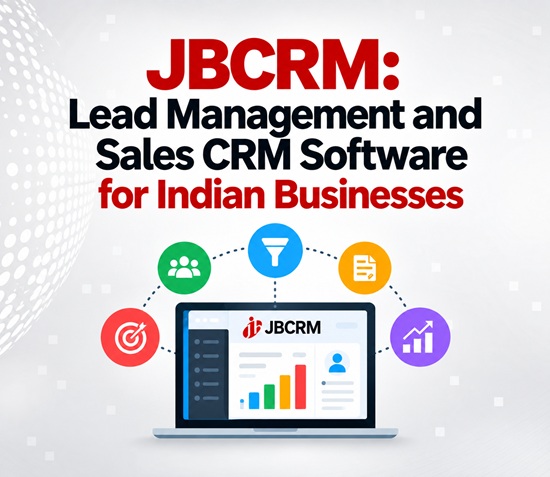
JBCRM is a practical CRM software for businesses that want to manage leads, sales follow-ups, quotations and customer information from one platform.
For many businesses, enquiries arrive from multiple sources such as IndiaMART, JustDial, WhatsApp, Meta Lead Ads and company websites. Managing these enquiries manually can make it difficult for sales teams to track every lead, remember follow-ups and know which opportunities need attention.
JBCRM brings lead management, sales follow-ups, quotations and performance tracking together in one business CRM platform. It is designed for Indian businesses looking for a simple way to organise their sales process and manage customer enquiries more efficiently.
CRM Software for Lead Management and Sales Follow-Ups
JBCRM helps sales teams capture and organise enquiries from different channels in one place. Instead of maintaining separate spreadsheets, messages or records for different lead sources, businesses can manage their leads through a central CRM system.
Sales teams can view lead information, track follow-up activities, update lead stages and manage upcoming tasks. This makes JBCRM useful for businesses that handle a regular flow of enquiries and need a structured lead management system.
The CRM also supports quotation management, including GST-enabled quotations, helping businesses manage an important part of the sales process from the same platform.
Connect Leads From Multiple Sources
A major part of effective CRM software is bringing leads into one system. JBCRM supports lead integration from several popular sources used by Indian businesses.
Businesses can connect leads from:
- IndiaMART
- JustDial
- WhatsApp Business
- Meta Lead Ads
- Company websites
- Other systems through webhooks
- Excel lead imports
Website enquiries can be captured using the JBCRM web-to-lead endpoint, while a generic webhook can be used to receive leads from other applications and systems.
Existing customer and lead information can also be imported through Excel, making it easier for businesses to move their existing data into the CRM.
Mobile CRM for Sales Teams
JBCRM is available through a web browser as well as native iOS and Android apps, allowing salespeople to manage leads beyond the office.
Using the mobile apps, sales teams can create leads from saved phone contacts, record follow-up activities and check tasks that are due. This can be particularly useful for sales representatives who regularly meet customers, visit sites or travel for business.
The web version can also be accessed through mobile browsers, giving users another way to check leads and follow-ups when required.
Guided CRM Setup for Businesses
JBCRM follows a guided setup approach instead of a completely self-service signup process.
Each business can begin with a walkthrough to understand how the CRM can fit its existing sales process. Lead sources, custom fields, sales stages and follow-up processes can be configured according to business requirements.
This approach allows businesses to create a CRM workflow that matches their operations instead of adapting their sales process to a fixed structure.
Businesses can request a JBCRM demo to understand the platform and its available configuration options.
CRM for Different Industries
Sales processes can vary significantly between industries. A business selling interior design services may need to manage site visits and quotations, while a manufacturing company may have technical enquiries and longer sales cycles.
JBCRM supports industry-focused CRM configurations for interior designers, service agencies, manufacturing, real estate, education, healthcare, travel and professional services.
Interior Design CRM
Interior design businesses can organise leads around enquiries, site visits, requirements and quotations. The CRM can also support longer follow-up cycles where customers may take time to finalise their projects.
CRM for Service Agencies
Service agencies can manage enquiries, site surveys, proposals, follow-ups, renewals and recurring customer requirements through a structured sales pipeline.
Manufacturing CRM
Manufacturing companies can organise enquiries from platforms such as IndiaMART, manage technical requirements, prepare quotations and track longer sales cycles.
Real Estate CRM
Real estate businesses often manage a large number of enquiries along with site visits and repeated follow-ups. A CRM can help sales teams organise these leads and track their progress through different stages.
Education CRM
Educational institutions and training businesses can use CRM workflows for admission enquiries, counselling, student follow-ups and parent communication.
Healthcare CRM
Healthcare businesses can organise enquiries, appointments, follow-ups and recall reminders through a structured customer management process.
Travel CRM
Travel companies can manage travel enquiries, itinerary quotations, group bookings, seasonal demand and customer follow-ups using industry-specific CRM stages.
CRM for Professional Services
Professional service businesses often need to track more than just a customer`s name and phone number. JBCRM can be configured with fields such as service line, engagement type, estimated engagement value, decision-maker, decision-maker role, referral source and expected decision date.
A professional services sales pipeline can include stages such as:
Enquiry → Discovery Call → Requirement Documentation → Proposal Sent → Client Review → Negotiation → Engagement Signed
Leads can eventually be classified as won or lost, helping businesses maintain a clearer view of their sales pipeline.
Lead categories can also be configured for areas such as retainers, projects, advisory services, compliance, statutory work and referral partners.
Manage Leads, Follow-Ups and Quotations in One CRM
For businesses dealing with leads from multiple sources, having separate systems for enquiries, follow-ups and quotations can create unnecessary work.
JBCRM combines these activities into a single business CRM platform, giving sales teams a central place to manage their leads and customer interactions.
With multi-channel lead capture, custom fields, configurable sales stages, mobile apps, follow-up management and GST-enabled quotations, JBCRM provides a practical CRM solution for businesses looking to organise their sales operations.
Whether the requirement is lead management software, sales CRM software, follow-up management, quotation management or a mobile CRM, JBCRM can be configured around the way a business works.
Why Choose JBCRM?
JBCRM focuses on the core requirements of businesses managing enquiries and sales:
- Centralised lead management
- Multiple lead source integrations
- Sales pipeline management
- Follow-up and task tracking
- GST-enabled quotations
- Web and mobile CRM access
- iOS and Android applications
- Excel lead import
- Web-to-lead integration
- Generic webhook support
- Custom fields and sales stages
- Industry-specific CRM configuration
- Individual and team performance tracking
For Indian businesses looking for a simple CRM software to manage leads, follow-ups, quotations and sales performance, JBCRM provides a flexible platform that can be configured according to their sales process.
Top Stories
-
 Top Malls Near Tambaram, Chennai: 4 Best Shopping and Entertainment Destinations14/Sep/2026 12:16:12 PM
 -
 Top Malls Near Saidapet, Chennai: Best Shopping and Entertainment Destinations14/Sep/2026 12:06:50 PM
 -
JBCRM: Lead Management and Sales CRM Software for Indian Businesses14/Sep/2026 11:36:17 AM
-
 Southern Railway Extends Services of 6 Special Trains for Passenger Convenience14/Sep/2026 11:06:13 AM
 -
 Chennai Corporation Recruitment 2026: 512 Temporary Nurse Vacancies, Apply Before September 2514/Sep/2026 10:55:47 AM
 -
 Nilgiris, Coimbatore to Receive Heavy Rain Till September 1614/Sep/2026 10:50:19 AM