
How to Set Up and Use a Parent-Managed Account on WhatsApp
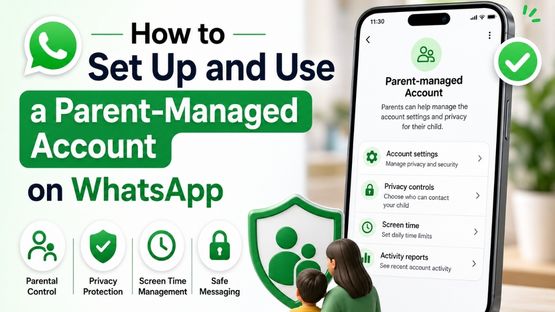
A Parent-Managed Account allows children under 13 years old (or the minimum age required in your country) to use WhatsApp with parental supervision. It includes built-in safety features that help parents manage their child`s contacts, privacy, and messaging.
How to Set Up a Parent-Managed Account
1. Open WhatsApp on your child`s device.
2. Follow the on-screen instructions to create an account.
3. Link the child`s account to a parent or guardian`s WhatsApp account.
4. Complete the verification and parental approval process.
5. Once linked, parental controls are enabled automatically.
What Can Parents Control?
- Only saved contacts can message or call the child by default.
- Approve message requests and group invitations from unknown contacts.
- Manage the child`s privacy settings, including profile photo, About, and online status.
- Receive notifications about important account activity.
Features Not Available
Parent-managed accounts can`t use:
- Meta AI
- Channels
- Status
- Chat Lock
- App Lock
- Linked Devices
- Location Sharing
- View Once Messages
- Disappearing Messages in individual chats
All personal chats remain end-to-end encrypted, so no one, including WhatsApp, can read them.
Note: Parent-managed accounts are being rolled out gradually and may not yet be available in all countries or regions.
Top Stories
-
 Tamil Nadu Weather Update: Rain Likely in Western Ghats Districts for the Next Four Days16/Jul/2026 4:37:45 PM
 -

-
 Short Film Nights #3 in Chennai on July 17: Rooftop Screening at Medavakkam16/Jul/2026 4:28:08 PM
 -
How to Set Up and Use a Parent-Managed Account on WhatsApp16/Jul/2026 3:42:15 PM
-
 Tata Sampann | Smokey Khichdi Bowl Recipe16/Jul/2026 3:37:36 PM
 -
 LIC Jeevan Arogya Plan 904: Features, Benefits and Eligibility16/Jul/2026 3:36:35 PM