
Credit Card CVV Protection Guide: Why Keeping Your Card Details Safe Is More Important Than Ever
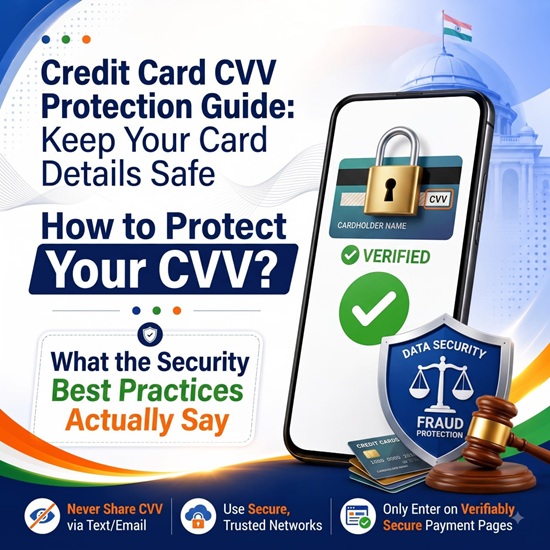
With online shopping, mobile banking and digital payments becoming a regular part of everyday life, protecting your credit and debit card details has become increasingly important. While banks and payment networks use several security measures to protect customers, users must also remain alert to prevent fraud.
One of the most important security details on a card is the CVV number. Although it is only a three- or four-digit code, it plays a significant role in verifying online transactions. Knowing how to protect your CVV and what to do if your card details are compromised can help reduce the risk of financial fraud.
What Is a CVV Number?
CVV stands for Card Verification Value. It is an additional security code used primarily during online or other card-not-present transactions.
The location of the CVV depends on the type of card:
Visa and Mastercard: Usually a three-digit number printed on the back of the card.
American Express: Usually a four-digit number printed on the front of the card.
Most debit cards: Generally have a three-digit CVV on the back.
When you make an online purchase, you may be asked to enter your card number, expiry date and CVV, followed by additional authentication such as an OTP where applicable. This helps add another layer of verification to the transaction.
Why Is Your CVV So Important?
Your CVV is sensitive financial information and should never be treated casually. If fraudsters obtain your card number, expiry date and CVV, they may attempt to misuse those details for unauthorised online transactions.
For this reason, you should never share your complete card details with unknown individuals or unverified websites.
Fraudsters often use fake phone calls, SMS messages, emails and social media messages to trick customers into revealing sensitive banking information. They may claim to be representatives of a bank, credit card company, payment platform or government organisation.
Remember that you should never share your CVV, OTP, PIN, passwords or other confidential banking details with an unverified person.
How to Protect Your CVV and Card Details
Following a few simple precautions can significantly improve your financial security.
1. Never Share Your CVV
Do not disclose your CVV through phone calls, SMS, WhatsApp, email or social media. Be especially cautious if someone contacts you unexpectedly and asks for card details for account verification, refunds, reward points or card upgrades.
2. Avoid Storing Card Photos
Never take or store unnecessary photographs of your credit or debit card on your mobile phone. Images stored on a device, email account or r cloud service could potentially be exposed if the account or device is compromised.
3. Use Trusted Websites and Apps
Before entering your card details, ensure that you are using a genuine and trusted website or mobile application. Check the website address carefully and avoid clicking on suspicious payment links received through messages or emails.
4. Be Careful on Public Wi-Fi
Avoid entering sensitive banking or card information while using unsecured public Wi-Fi networks. If possible, use your secure mobile network or a trusted internet connection when making financial transactions.
5. Enable Transaction Alerts
Turn on SMS, email or mobile app notifications for all card transactions. Instant alerts can help you identify suspicious activity quickly and take immediate action.
What Should You Do If Your CVV or Card Details Are Compromised?
If you believe your card details have been exposed, do not wait for an unauthorised transaction to occur. Take immediate action.
Contact Your Bank Immediately
Inform your bank or card issuer about the suspected compromise. Most banks provide customer support and emergency card-blocking facilities.
Block or Temporarily Disable the Card
If your banking app provides the option, temporarily disable or block your card to prevent further transactions while you investigate the issue.
Check Your Recent Transactions
Review your account and card transaction history carefully. Look for payments, subscriptions or withdrawals that you do not recognise.
Report Unauthorised Transactions Quickly
If you notice any suspicious transaction, report it to your bank immediately and follow the required procedure for raising a fraud complaint.
Request a Replacement Card
If your card information has been exposed, your bank may recommend replacing the card. A new card will have new security details.
Build Better Digital Payment Habits
Protecting your CVV is only one part of maintaining financial security. Developing good digital habits can provide additional protection.
Some useful practices include:
- Review your card and bank statements regularly.
- Keep your mobile phone and banking apps updated.
- Use strong passwords and secure your devices with screen locks.
- Avoid clicking on unknown links or downloading suspicious files.
- Do not install unknown apps that request unnecessary access to your device.
- Use official banking apps and websites for financial transactions.
- Keep your registered mobilele number and email address updated with your bank.
- Set transaction limits or card controls if these features are available.
An Important Reminder for Every Card User
As digital transactions continue to grow, financial fraud is also becoming more sophisticated. A moment of carelessness, such as sharing a CVV or OTP with an unknown caller, can potentially lead to financial loss.
Your CVV may be just a small number printed on your card, but it is an important part of your overall transaction security. Protect your card details, stay alert to suspicious communication and monitor your transactions regularly.
The simplest rule is also the most important: Never share your CVV, OTP or PIN with anyone, and contact your bank immediately if you suspect that your card details have been compromised.
Top Stories
-
 Bigg Boss The Common Man: New Reality Show to Select Season 10 Contestant13/Aug/2026 2:14:53 PM
 -
-
 DICV Announces ₹4,000 Crore Investment in Tamil Nadu13/Aug/2026 1:22:56 PM
 -
 Tamil Nadu Signs MoUs with 97 Companies for ₹67,452 Crore Investment13/Aug/2026 12:39:07 PM
 -
 ₹1.02 Lakh Crore Investment: Chief Minister Vijay Launches Vetri Tamil Nadu Investors Conference13/Aug/2026 12:30:45 PM
 -
 MCC Political Science Global Alumni Reunion on August 2213/Aug/2026 12:01:56 PM