
ChatGPT's New AI Photo Editing Feature Lets Anyone Edit Images Using Simple Conversations
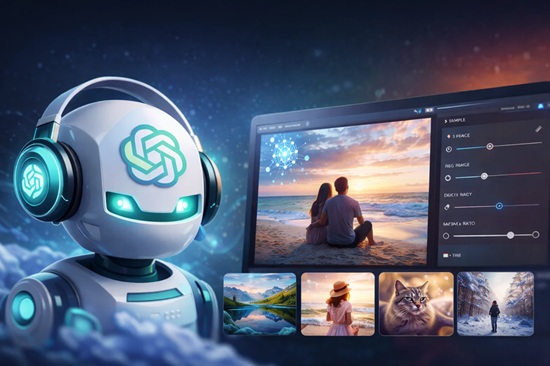
OpenAI has introduced a powerful new image editing feature in ChatGPT that makes professional-quality photo editing accessible to everyone. Instead of learning complex editing software or crafting detailed prompts, users can now upload a photo and describe the changes they want in plain, natural language.
The new feature turns image editing into a conversation. Users can make one change at a time, review the results, and continue refining the image until it looks exactly the way they imagined.
Edit Photos with Everyday Language
With the latest update, editing an image is as simple as telling ChatGPT what you want.
For example, users can say:
- "Remove the people in the background."
- "Change the sky to a sunset."
- "Make the lighting warmer."
- "Replace the blue shirt with a black blazer."
- "Turn this into a watercolor painting."
There`s no need for technical knowledge or complicated prompts. ChatGPT understands natural language and applies the requested changes with impressive accuracy.
Refine Images Step by Step
One of the biggest improvements is the ability to edit images incrementally. Rather than describing every detail in a single prompt, users can build their ideal image through a series of simple instructions.
A typical workflow might look like this:
- Remove the power lines.
- Make the sky more dramatic.
- Add warm golden-hour lighting.
- Blur the background slightly.
- Reduce the background glow.
Each edit builds on the last, making it easy to experiment and fine-tune the final result without starting over.
Create Better Portraits
The new editing tools also make portrait enhancement effortless. Users can request natural improvements such as changing hairstyles, removing glasses, adjusting clothing, improving facial lighting, reducing blemishes, or creating a polished professional headshot for resumes, LinkedIn, or business websites.
Instantly Transform Backgrounds
Changing the setting of a photo is now just as easy. ChatGPT can replace existing backgrounds with realistic alternatives such as beaches, mountains, modern offices, cafés, luxury homes, snowy landscapes, or even imaginative fantasy environments, while maintaining consistent lighting and perspective.
Explore Creative Artistic Styles
Beyond realistic edits, the feature allows users to transform images into a wide range of artistic styles, including anime, comic book illustrations, oil paintntings, watercolor art, pencil sketches, vintage photography, cyberpunk themes, cinematic movie posters, and studio-quality portraits.
Enhance Image Quality
ChatGPT can also improve the technical quality of images by sharpening blurry photos, increasing resolution, reducing noise, restoring old photographs, correcting exposure, and enhancing colors to produce cleaner, more vibrant results.
Add or Remove Objects Naturally
Whether cleaning up distractions or adding creative elements, users can simply describe what they want. ChatGPT can remove unwanted objects such as vehicles, power lines, signboards, or crowds, and add elements like flowers, furniture, decorations, pets, rain, or snow, seamlessly blending them into the scene.
A Powerful Tool for Creators and Businesses
The conversational editing experience is valuable for a wide range of users, including social media creators, YouTubers, marketers, designers, photographers, real estate professionals, e-commerce sellers, educators, and small businesses. Instead of spending hours learning advanced editing software, users can produce high-quality visuals by simply describing their ideas.
Making Professional Image Editing Accessible to Everyone
This latest update represents a significant step forward in AI-powered creativity. By combining advanced image editing with natural conversation, ChatGPT removes many of the traditional barriers to creating professional-quality visuals.
Whether you`re enhancing family photos, designing marketing materials, creating social media content, or producing business presentations, editing an image is now as easy as having a conversation. With simple instructions and step-by-step refinement, anyone can bring their creative vision to life no design expertise required.
Top Stories
-
 Chennai's Anna Swimming Pool Reopens After ₹2.75 Crore Renovation24/Jul/2026 11:48:12 AM
 -
ChatGPT's New AI Photo Editing Feature Lets Anyone Edit Images Using Simple Conversations24/Jul/2026 11:24:21 AM
-
 MBBS, BDS Admissions 2026: 70,485 Students Apply, Applications Lower Than Last Year24/Jul/2026 11:06:01 AM
 -
 itel Zeno 100 Pro Launched in India at Rs. 8,599: Check Features, Specifications and Price24/Jul/2026 10:42:04 AM
 -
 Why LiveChennai.com Remains Chennai’s Most Trusted Digital Lifeline24/Jul/2026 10:20:17 AM
 -
 Tamil Nadu Technical Examinations 2026: Online Registration Begins Today24/Jul/2026 10:00:49 AM