
How to Apply for CRS Death Registration in Tamil Nadu Step-by-Step Guide
Introduction
The CRS Death Registration service is available through the Tamil Nadu e-District portal. This service enables authorised operators to register a death, submit the required information, make the applicable payment, and track the application status online. The system is designed to streamline the registration process and improve service delivery.
Who Can Apply?
According to the user manual, the application is processed through an authorised operator using valid login credentials on the Tamil Nadu e-District portal.
Documents Required
The uploaded user manual does not provide a list of required supporting documents. It only states that mandatory or optional documents should be attached whenever required by the application.
How to Apply for CRS Death Registration
Step 1: Open the Tamil Nadu e-District Portal
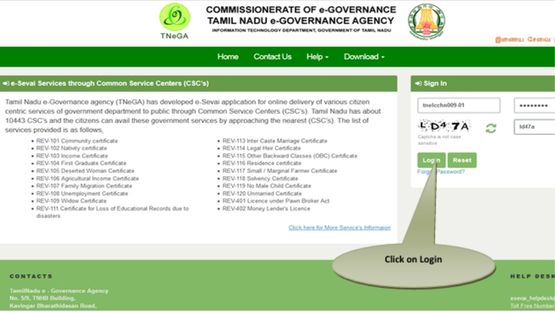
Open the Tamil Nadu e-District website in your web browser and log in using your authorised operator username and password.
Step 2: Access the Service
Click Services.
Select Directorate of Public Health and Preventive Medicine.
Choose CRS Death Registration.
Step 3: Enter Registration Details
Fill in the mandatory details, including:
District
Sub District
Registration Unit Type
Registration Unit
Then enter the required legal information such as:
Reporting Date
RCHID/Pre-registration ID
Provide the deceased person`s details, including:
Date of Death
Gender
Name
Age
UID Number
EID Number
Complete the statistical information and residential address details.
Step 4: Enter Family and Address Information
Provide the following information wherever applicable:
Husband/Wife details
Father`s details
Mother`s details
Email ID
Mobile Number
Place of Death
Address at the time of death
PIN Code
Religion Occupation Other information based on the selected gender After completing the details, click Submit and then select Click here to fill Death Registration other details. Step 5: Complete Address Information Enter: Address of the deceased at the time of death Permanent address of the deceased If both addresses are the same, select the checkbox to copy the address automatically. Otherwise, enter the permanent address separately. Options are available for addresses within Tamil Nadu, outside Tamil Nadu, and outside India. Step 6: Enter Informant Details Provide the informant`s: Name Address PIN Code Step 7: Submit the Application Click Submit. The applicable department fee and service charges will be displayed. The amount will be deducted from the operator`s wallet. Once payment is successful, a confirmation message will appear. Click Print Receipt to download the acknowledgement in PDF format. How to Track the Application Status Open CRS Death Registration Application Status Tracking. Enter the Registration Number. Click Submit. The application status will be displayed, whether it is pending or approved. Important Points Use a valid username and password. Enter accurate information only. Review all details before submitting. Mandatory fields cannot be left blank. Attach documents whenever required by the application. Disclaimer: This article is prepared based on the Tamil Nadu e-District CRS Death Registration User Manual. The application process, required details, and portal interface may change over time. Users are advised to refer to the latest instructions available on the Tamil Nadu e-District portal or contact the concerned department for updated information.
Top Stories
-
 The Ultimate Monsoon Skincare Picks for Clear, Healthy & Acne-Free Skin28/Jul/2026 1:27:03 PM
 -
 ITR Filing Deadline Ends July 31: What Happens If You Miss It?28/Jul/2026 1:16:24 PM
 -
How to Apply for CRS Death Registration in Tamil Nadu Step-by-Step Guide28/Jul/2026 12:57:54 PM
-
 Is Dubai Gold Better Than Indian Gold? Here's What Every Buyer Should Know28/Jul/2026 12:56:58 PM
 -
 VBJ Brings its Signature Jewellery Showcase to Trichy This Aadi28/Jul/2026 11:52:05 AM
 -
 What You Should Know Before Choosing a Super Top-Up Health Insurance Policy28/Jul/2026 11:03:48 AM