
| Tamilnadu Sand Booking and Lorry Owner Registration | |
|
The government has launched the TNSAND mobile app web portal, visit at www.tnsand.in for bringing transparency in sand booking and purchase. Can now easily check the tnsand online booking status, payment verification, refund status and list of registered vehicles at the TNSAND website.
TNSAND Vehicle Registration STEP 1: Visit the website at https://www.tnsand.in/Home/Home. STEP 2: Click on vehicle registration for sand button on the homepage. STEP 3: Fill the application form similar to below on the next page. 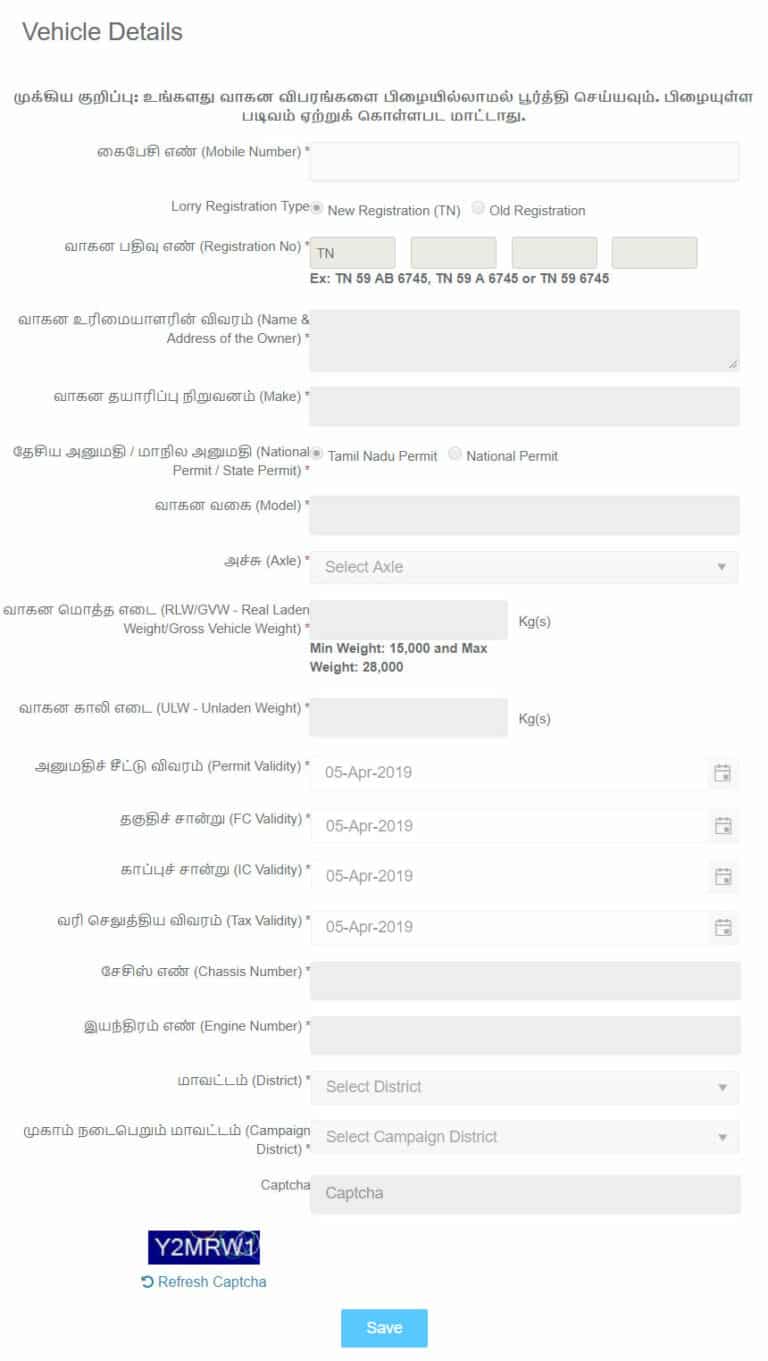
STEP 4: After filling all the details, click the Register button. STEP 5: Once registered, click the Sign In button on the homepage and login to check the details.
Tamil Nadu Online Sand Booking STEP 1: Visit the official website of Tamil Nadu Sand at www.tnsand.in. STEP 2: Click the General People button on the top right of the homepage. STEP 3: An application form similar to below would open on the next page, fill all the required information in the form and click "Create Booking" button at the bottom of the application form. 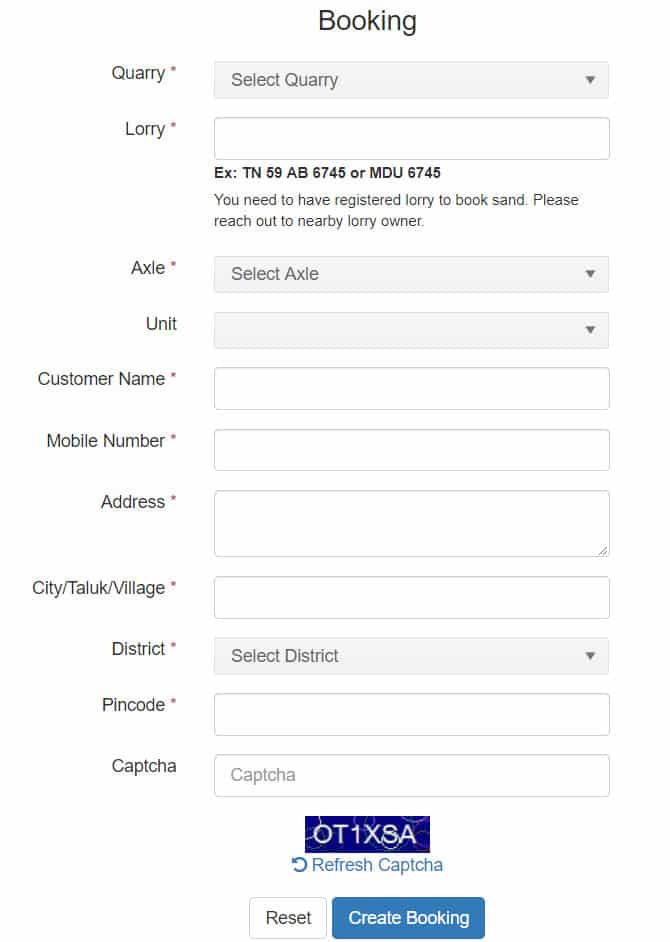
STEP 4: After clicking the "Create Booking" button, your booking would be done and your will be provided a booking reference number which can be used to check the status of online sand booking.
Sand Booking Status STEP 1: Visit TNSAND booking status link of the official portal at https://www.tnsand.in/Guest/BookingStatus. STEP 2: A form similar to given below will open, enter your booking reference number and captcha in the input boxes and click "Search" Button. 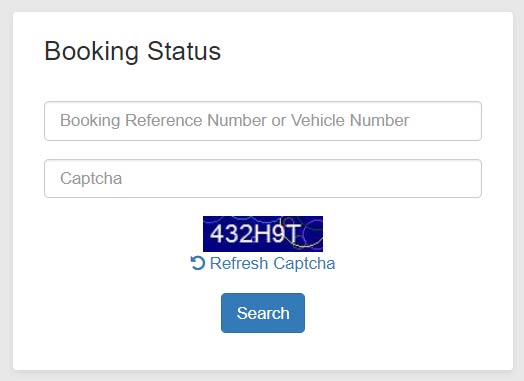
STEP 3: After clicking the "Search" button, you will be shown the status of your sand booking. You can download TSAND mobile application from both app store and play store for the registration. |
|
| ^Top |



 JB Soft System