
| Edit or Update Smart Ration Card Details | |
|
Those who already have the smart ration card, can update their details in smart card using their registered mobile number from the website-tnpds.gov.in. Users can make corrections in name, age, address & other details of the smart card and add or remove a family member, change the head of family or even can surrender or cancel their card.
Edit or Update the new Smart Ration Card STEP 1: Go to the official website of Tamilnadu Public Distribution System at tnpds.gov.in and choose the language. Default language for this website is Tamil language. STEP 2: Click at any of the options under the "Smart Card Related Services" section. Sample picture below. 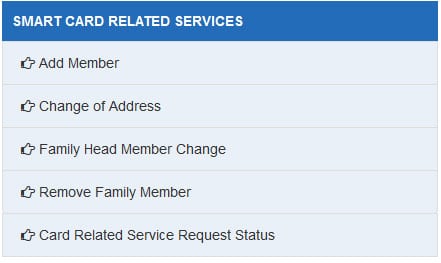
STEP 3: After clicking the link, a new window will open as shown in the figure below where you have to enter the registered mobile number to open the correction form. 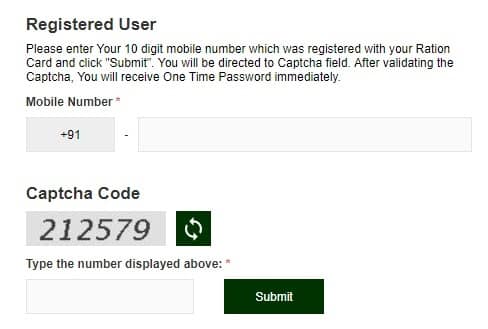
STEP 4: After entering the mobile number, an OTP will be sent on the registered mobile number. Verify the OTP and then enter the details which a candidates needs to edit / update and upload the supporting documents. STEP 5: You can upload the photo of the proof in jpeg, gif, png format under 100 kb size in the correction window. After uploading you can click at the "Submit" button at the bottom. STEP 6: After successful submission of the correction request, you will get a reference number from which you can track your status of service request through the link "Status of Request" following "STEP 2". The "TNPDS Service Request Status" window will appear as follows:- 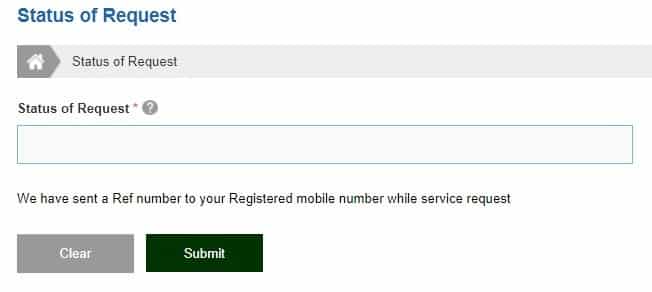
Addition of a Family Member You can add a new member through visiting the same official website tnpds.gov.in. Deletion of a Family Member To delete the name of the family member, click the "Remove Family Member" link under the same "Smart Card Related Services" section. Change of Address Everyone are allowed to change the address in the smart ration card and add a new address through clicking the "Change of Address" link. Follow the similar process as above and upload the new residence proof to edit / update the address. |
|
| ^Top |



 JB Soft System