
How to Apply for Legal Heir Certificate Online Easily!!
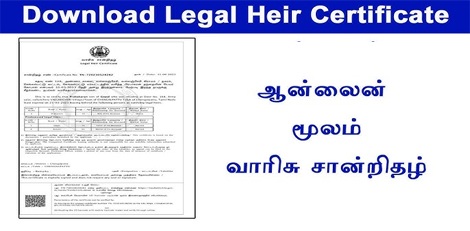
Service Code: REV-114 | Department Charges: ₹0 | Service Charge: ₹60
Purpose:
The Legal Heir Certificate is an official document that establishes the relationship between the deceased and their legal heirs (spouse, children, parents, etc.). It is required for:
- Claiming inheritance and transferring property, bank accounts, and assets
- Settling insurance claims and pension benefits
- Government service benefits transfer
- Other legal and financial purposes after death
Required Documents:
- Death Certificate of the deceased
- Address Proof of the deceased (last place of residence)
- Self-Declaration of the spouse/applicant listing all legal heirs
Relationship Verification Documents (as applicable):
- Marriage Proof (Marriage Certificate, Passport, Voter ID, Aadhaar)
- Children’s Proof (Birth Certificates or School Transfer Certificates)
- ID Proofs of all heirs (Birth Certificate, Community Certificate, Aadhaar, Passport, TC, NPR, Employee Record)
Special Circumstances:
- If multiple marriages: Death Certificate of first spouse / divorce decree / second marriage proof
- If parents are heirs: Parents’ Death Certificates or self-declaration
- For adopted heirs: Legal adoption proof / Guardianship order
Special Requirement:
- Applicant must have a valid Citizen Access Number (CAN)
- If no CAN, register first on the e-District portal using Aadhaar and OTP verification
Application Process:
1. Get CAN
- Visit: https://tnedistrict.tn.gov.in
- Register using Aadhaar and obtain a permanent CAN
2. Apply for Certificate
- Log in to e-District portal
- Navigate: Services - Revenue Department - REV-114 Legal Heir Certificate
3. Fill Application Form
- Enter Deceased Details (Name, Date/Place of Death, Death Certificate No., Parents’ details)
- Enter Address of Deceased
- Add Legal Heirs Details (Name, Age, Relationship, Marital/Living Status)
- Enter Petitioner’s Relationship to the deceased
4. Upload Documents
- Attach all required documents clearly in the correct format
5. Pay Online
- Service Charge: ₹60
6. Download Acknowledgement
- Save/print receipt for tracking
Alternative Method (CSC Centre – Recommended):
- Visit nearest eSevai/CSC Centre
- Operators help with CAN registration, document scanning, payment, and submission
- Pay the same � ₹60 service charge
After Application:
- Track Status: Check with application number on portal
- Application verified by VAO / Revenue authorities
- Once approved, download digitally signed certificate with QR code
Important Notes:
- Keep application number safe for tracking
- Ensure all uploaded documents are clear and valid
- Certificate can be verified online via QR code/unique number
- Draft applications can be saved and continued later
Apply Online: https://tnedistrict.tn.gov.in
For Assistance: Visit nearest eSevai/CSC Centre
Top Stories
-
 Tamil Daily Calendar October 19, 2026 – Nalla Neram and Rahu Kalam17/Oct/2026 5:23:58 PM
 -
 Tomorrow Panchangam October 18, 2026 | Auspicious Timings, Rahu Kalam, Gulikai17/Oct/2026 5:21:00 PM
 -
 Tamil Nadu Weather News: Orange Alert and Heavy Rain Warning for Several Districts17/Oct/2026 5:11:51 PM
 -
 Tambaram Offers: Discover Latest Deals and Discounts on LiveChennai17/Oct/2026 4:52:37 PM
 -
 Best Temples in and Around Thiruvanmiyur, Chennai: A Spiritual Guide17/Oct/2026 4:39:51 PM
 -
 Best 5 Places to Visit in and Around OMR, Chennai17/Oct/2026 4:30:19 PM

 JB Soft System