
WhatsApp jumps to Desktop � know how to use it
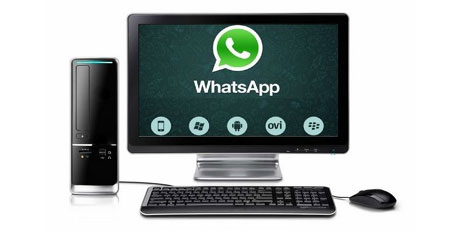
�How to use that?� This must be your very first and obvious question on reading the title. Here you go. You are free to use WhatsApp on your Smartphones and Desktop computers as well.
The application was initially developed for use in Smartphones which is viral among people irrespective of their age, across the world. This allows sharing files like audio, video, and photos and has extensively eased the way of communication. This has in fact brought down the use of SMS which was earlier most popular among youngsters.
With the launch of its desktop version, there are so many users who have already shown good interested towards it. This is for now compatible for use only with Google Chrome Browser.
So, here is how to use it on your desktop:
- Turn on your mobile phone and keep your WhatsApp updated. If at all it�s running in its older version, quick-check your playstore and update it
- Now, turn on your PC or laptop and click open the site https://web.whatsapp.com/. This should be of great interest to you. Yeah! Very much
- Here, you can find a QR code in display
- Check out the Menu option in your WhatsApp and choose WhatsApp Web
- Scan the QR code with your mobile phone. Just the way you ought to switch on the stove before cooking, you need to have your internet connectivity turned on before you try this step
- Here�s the magic! You can now find your WhatsApp being accessible on your desktop! Hurry, you shout, aloud!
Top Stories
-
 Tomorrow Panchangam September 02, 2026 | Auspicious Timings, Rahu Kalam, Gulikai01/Sep/2026 5:57:20 PM
 -
 Chennai Apartment Sales Rise 27% in H1 2026; Prices Up 13%: JLL01/Sep/2026 5:30:42 PM
 -
 Indian Telecom Providers See AI as Key Revenue Driver: Ciena Survey01/Sep/2026 5:27:09 PM
 -
 Best Birthday Celebration Places in Chennai for Couples, Families and Friends01/Sep/2026 5:06:45 PM
 -
 Gold Prices Face Correction, But Long-Term Investment Outlook Remains Positive01/Sep/2026 5:02:18 PM
 -
 JB Soft System Highlights Why Businesses Need More Than Just a Website01/Sep/2026 4:34:43 PM