
Microsoft Cortana is now functional on Windows 10 laptop and desktop
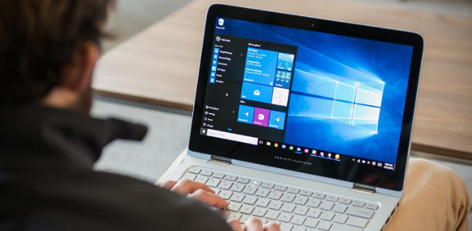
Following the huge response and welcoming for Apple iPhone�s Siri mobile app, Microsoft is in the same footstep and has introduced a personal assistant app called Cortana.
Here comes a news to overwhelm everyone. Cortana will be functional on all laptops and desktops that have Windows 10 operating system. Let us get into a detailed understanding about the same here:
Cortana was initially designed to function on Windows smartphones alone. However, the application will now be functional on all Windows 10 laptops and desktop computers. The mobile app technology is customized in such a way.
This is likely to benefit users in crores. When you click on the Mike button and press Start, Cortana app on your computer will start functioning. When you update your operating system to Windows 10, Microsoft will upgrade your internet explorer browser to Edge version.
Cortana and Edge browsers are designed in such a way that they will work coherently with one another. Hence, you can make use of the voice assistant application using pop-up on Edge browser.
Locate your files with ease
If you have too many files in your computer, you can very easily locate your files. Using voice assistant application on Cortana, you can easily locate any file � be it on cloud or in your hard disc.
User-friendly app
The app is made absolutely user-friendly. Hence, those who even do not have expertise in computer operations can easily access the app and make use of all its services.
Coming on to Siri, it is functional only on Apple iPhone. Likewise, Google Now mobile app is also functional only on Android mobile phones. However, Microsoft�s Cortana is functional on Windows phones, as well as Windows 10 laptops and desktops and Android, iOs phones.
User-specific voice recognition
Unlike other voice assistant apps, Cortana will individually recognize the voice of mobile owner and function accordingly. Hence, multiple users can access the app on computers and get their individual instructions being processed.
It can sing and tell you interesting jokes
Apart from its functioning, when you are bored, the app can tell you interesting jokes and even sing songs for you.
Alerts you based on location
If you have fed your location on Cortana, it will remember your place and remind your activities accordingly. For example, if you are in a departmental stores, it will prompt you with the list of groceries to be purchased.
Top Stories
-
 Diwali Travel from Chennai: Tips to Book Train and Bus Tickets Before the Holiday Rush16/Oct/2026 10:40:35 AM
 -
 Chennai’s 48 Foot Navratri Golu in Perambur Aims for World Record16/Oct/2026 10:34:36 AM
 -
 Chennai to Native Place: Smart Travel Tips for a Hassle-Free Holiday Journey16/Oct/2026 10:21:29 AM
 -
 Bloating Relief: 6 Ayurvedic Remedies to Reduce Gas and Improve Digestion16/Oct/2026 10:11:03 AM
 -
 Ayudha Pooja and Dussehra Holidays: Airfares Rise on Flights from Chennai16/Oct/2026 9:51:41 AM
 -
 CM Vijay to Inaugurate Periyar Arivulagam Library in Coimbatore Today16/Oct/2026 9:46:15 AM

 JB Soft System