
How to Change the Name on Your TNPDCL Electricity Connection Online
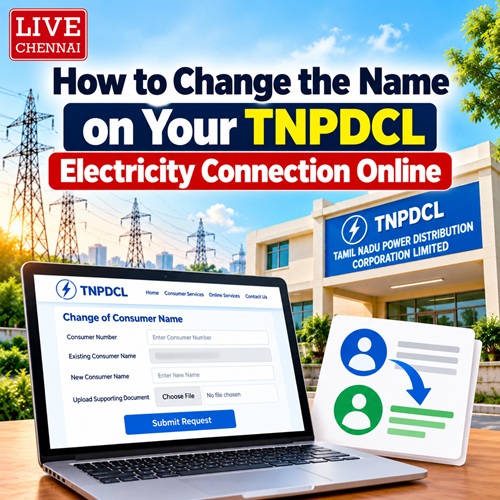
When you purchase a new apartment, an independent house, or inherit a property in Chennai, transferring the electricity connection to your name is a critical legal step. Your TNPDCL electricity bill serves as an official proof of address and property ownership for various government documents.
Following the migration to the new digital portal, you no longer need to make multiple trips to your local section office or deal with physical paperwork. The entire name transfer process can now be completed smoothly online.
Here is the step-by-step breakdown of how to change the name on your service connection number.
Documents Required Before You Start
Scan these documents into clear PDF files (under 2MB each) before logging onto the application portal:
1. Ownership Proof: Sale Deed copy, Gift Deed, or Partition Deed registered in your name.
2. Property Tax Receipt: The latest paid receipt for your Greater Chennai Corporation (GCC) or local municipality property tax.
3. No Objection Certificate (NOC): Required if there are multiple joint owners or if you are transferring the name from a living family member.
4. Death Certificate & Legal Heir Certificate: Required only if the previous owner is deceased and you are inheriting the property.
5. ID Proof: Aadhaar Card, PAN Card, or Passport of the new applicant.
Step-by-Step Guide to Applying Online
1. Log in to the Portal: Visit the updated official portal at www.tnpdcl.org and head to the Apply Name Transfer section.
2. Enter Connection Details: Input your 10-digit Consumer Service Number and select your region (e.g., 01 for Chennai). The system will automatically fetch the existing owner`s name and address details.
3. Fill the Application Form: Enter the new owner’s details exactly as they appear on your Sale Deed. Select the appropriate transfer category (e.g., Transfer due to Sale of Property or Transfer due to Death of Owner).
4. Upload Documents: Upload your scanned copies of the Sale Deed, Property Tax Receipt, and Aadhaar card into their respective fields.
5. Pay the Transfer Fee: Pay the processing fee online using UPI, credit/debit card, or net banking. The name transfer fee for domestic connections is typically around ₹700 to ₹800 (inclusive of application fee and security deposit adjustments).
6. Track Status: Once submitted, you will receive an application reference number via SMS. A field engineer or the Assistant Engineer (AE) of your local section office will verify the digital documents online.
3 Things to Keep in Mind During the Transfer
Clear Pending Dues First: The portal will block your name transfer application if there are any unpaid electricity consumption charges or outstananding penalties on the consumer number. Clear your current cycle bill before applying.
Aadhaar Linking: Ensure your Aadhaar card is linked to your mobile number. You will receive critical one-time passwords (OTPs) to digitally sign the application form at the final stage of submission.
Timeline: It generally takes 7 to 15 working days for the approval process to finish. Once approved, the updated name will automatically reflect on your next bi-monthly bill cycle.
Top Stories
-
 Authorised Solar Dealers in Chennai: How to Verify Government Approval29/Oct/2026 11:36:33 AM
 -
How to Change the Name on Your TNPDCL Electricity Connection Online29/Oct/2026 11:19:26 AM
-
 DHL IT Services Opens New Chennai Office with Capacity for 800 Employees29/Oct/2026 11:11:46 AM
 -
 How to Find Your TNEB Section Office in Chennai Using Your Consumer Number29/Oct/2026 11:00:49 AM
 -

-
 Stroke Symptoms: 7 Warning Signs, Causes and What to Do Immediately29/Oct/2026 10:23:03 AM

 JB Soft System