
Power Cut But Name Not on the List? How to Lodge a Complaint via the New TNPDCL Portal
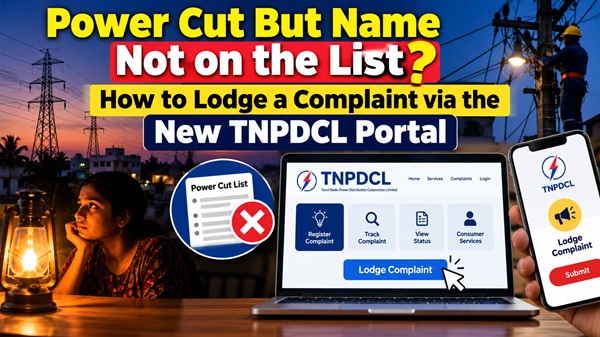
Discovering a power outage in your home is frustrating, especially if you have already checked the daily Live Chennai Power Cut Schedule and verified that your area is not listed for scheduled maintenance.
An unscheduled outage usually points to a localized issue, such as a blown transformer fuse, a tripped feeder breaker, or a fallen tree branch line interruption. Following the recent migration from the old TANGEDCO platform, the Tamil Nadu Power Distribution Corporation Limited (TNPDCL) has streamlined its grievance systems.
Here is exactly how you can lodge an official electricity complaint in Chennai to get your power restored quickly.
Method 1: The Fastest Way - Call the Centralized Helpline (Minnagam)
For immediate response, TNPDCL operates a 24/7 unified consumer customer care center known as Minnagam.
1. Dial 9498794987 from your mobile phone or landline.
2. Select your preferred language (Tamil or English).
3. Provide your 10-digit Consumer Service Number (found on your previous white card or online EB receipts).
4. Describe the issue (e.g., "Single-phase power down," "Entire street power out," or "Transformer spark").
5. An executive will register your complaint and send a Docket Number via SMS to your mobile. You can use this text confirmation to track the field engineer`s progress.
Method 2: Lodge a Complaint Online via the TNPDCL Web Portal
If phone lines are busy during peak storm seasons or widespread disruptions, you can effortlessly lodge your ticket online.
1. Visit the official updated portal at www.tnpdcl.org.
2. Navigate to the Consumer Services or Grievance tab on the homepage.
3. Input your Region Code and Service Connection Number.
4. Select your complaint category from the drop-down menu (choose "No Power" or "Voltage Fluctuation").
5. Enter your contact details and hit submit. The system will auto-route the ticket straight to your localized Section Office (O&M area engineer).
Method 3: Use the Official Mobile App
If you are working from home or managing things from a smartphone, using the mobile application keeps your tracking history in one place.
1. Open the TNEB Mobile App (Official) on your device (Google Play Store Link).
2. Log in using your registered credentials. If you haven`t registered, you can complete a quick sign-up using your consumer number.
3. Tap on the "Complaints" icon on the dashboard.
4. Click "New Complaint", specify the nature of the electricity issue, and submit.
5. The app features a live status tracker showing whether your issue is Assigned, In Progress, or Resolved.
Checklist Before You File a Complaint
To make sure your complaint is resolved without back-and-forth delays, quickly check these pointers before making the call:
- Check your neighbors: Look out the window or message your local street group. If the entire street is dark, it’s a line/transformer fault. If only your house is dark, check your main distribution board for a tripped MCB (Miniature Circuit Breaker) or ELCB (Earth Leakage Circuit Breaker).
- Keep your Service Number ready: Having your consumer ID handy ensures the customer care agent pins your exact physical transformer location instantly.
- Do not touch outdoor infrastructure: If the outage was caused by a fallen wire or a sparking overhead post near your gate, keep everyone away and explicitly mention this emergency safety hazard during your call to bump your ticket priority.
Top Stories
-
 Best Inverter and Battery Combinations for Chennai Apartments (2026 Buyer's Guide)27/Oct/2026 1:15:48 PM
 -
Power Cut But Name Not on the List? How to Lodge a Complaint via the New TNPDCL Portal27/Oct/2026 12:54:45 PM
-
 HUID in Gold: Meaning, Verification and Consumer Benefits27/Oct/2026 12:25:50 PM
 -
 BIS Hallmark on Gold Jewellery: Meaning and Benefits27/Oct/2026 12:21:14 PM
 -
 What Is 916 Gold? Understanding 22K Gold Purity27/Oct/2026 12:13:39 PM
 -
 22K vs 24K Gold: Which Is Better for Jewellery and Investment?27/Oct/2026 11:55:33 AM

 JB Soft System