
Step-by-Step: How to Use the Official TNPDCL Tariff Calculator to Estimate Your Bill
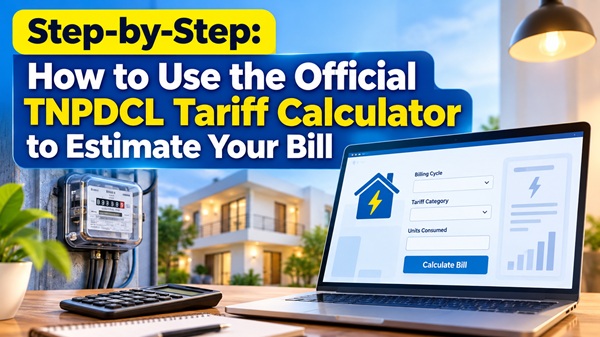
Most residents in Chennai are caught off guard when their bi-monthly electricity bill arrives. Because the Tamil Nadu Power Distribution Corporation Limited (TNPDCL) operates on a tiered, progressive pricing model, even a minor increase in unit consumption can push your bill into a significantly higher bracket.
To help consumers plan their expenses, the utility features an online Tariff Calculator tool. This tool allows you to plug in your current meter readings and instantly preview your expected bill layout, giving you time to adjust your household power habits before the billing cycle closes.
Understanding the Core Math: How Units Are Broken Down
Before opening the calculator tool, it helps to understand how the system treats your power data. TNPDCL applies your total usage across a series of structured blocks.
For instance, if your household consumes a total of 450 units over a two-month cycle, your bill is not charged at a single flat rate. Instead, the calculation is split sequentially:
1. The first 100 units are deducted as completely free.
2. The next 100 units (units 101 to 200) are billed at a basic subsidized rate.
3. The final 250 units (units 201 to 450) are billed at the standard mid-tier domestic rate.
However, if your total consumption crosses the 500-unit threshold, the subsidy structure changes completely, and the cost per unit increases retroactively for the preceding tiers.
How to Access and Use the Online Calculator
You can calculate your estimated charges by accessing the utility`s official software tool through any desktop web browser or smartphone:
1. Open the Tool: Visit the official calculation page at TNPDCL Tariff Calculator.
2. Select Tariff Type: Choose Domestic (Tariff I-A) from the dropdown menu. This is the standard setting for apartments, individual houses, and residential living spaces.
3. Choose Billing Cycle: Select Bi-monthly (since residential meters in Tamil Nadu are read once every two months).
4. Enter Consumed Units: Look at your physical digital meter outside your house, note down the current reading, and subtract the previous reading shown on your last bill. Plug this final number into the "Consumed Units" box.
5. Calculate: Click the Calculate button. The portal will generate a detailed breakdown showing your energy charges, fixed customer charges, and any applicable state electricity tax subsidies.
Pro-Tip: Running "What-If" Scenarios to Save Money
The best way to use this tool to lower your expenses is to run
comparative calculations mid-way through your billing cycle:
Catch the Slab Spike: On day 30 of your cycle, check your meter and run the calculation. If the tool shows you are on track to hit 520 units by day 60, you know you need to reduce your AC usage s slightly over the remaining four weeks.
The Sub-500 Advantage: Dropping your usage from 510 units down to 490 units using the calculator`s projections can save you an average of ₹800 to ₹1,200 on your final bill by avoiding the high-consumption tariff penalties.
We have built an excellent library of evergreen guides covering helplines, apps, bills, and hardware. Would you like the next piece to be:
- A detailed SEO internal-linking map showing exactly how to link these articles to your daily power shutdown tables to maximize search visibility?
- A ready-to-use template for WhatsApp and Telegram broadcast alerts to send these articles directly to your subscribers?
Top Stories
-
 Tamil Nadu CM Vijay to Visit Ambasamudram on November 14 for Children’s Day Celebration31/Oct/2026 11:44:01 AM
 -
 India Census 2027: Population Enumeration to Begin on January 25 – Check Dates and Details31/Oct/2026 11:37:15 AM
 -
 Switching to Rooftop Solar in Chennai: TNPDCL Net Metering & Subsidy Guide31/Oct/2026 11:19:10 AM
 -
Step-by-Step: How to Use the Official TNPDCL Tariff Calculator to Estimate Your Bill31/Oct/2026 11:09:34 AM
-

-
 Cold Water vs Warm Water After Meals: Which Is Better for Digestion?31/Oct/2026 10:21:19 AM

 JB Soft System