
PNB Bank Account Closure: November 10 Deadline for Eligible Customers
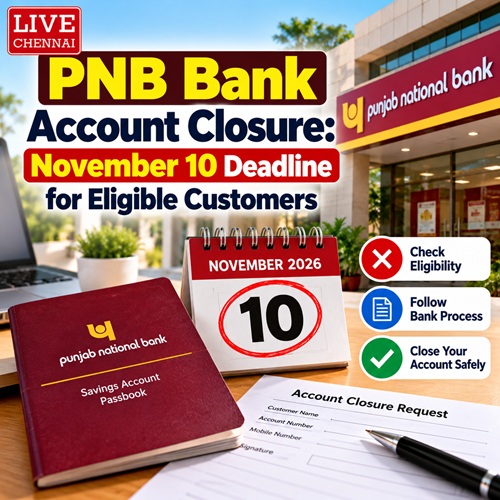
Punjab National Bank (PNB) has announced plans to close certain bank accounts that have remained inactive for the past three years and have a zero balance. According to the information provided, eligible customers must complete the required formalities by November 10, 2026, to avoid closure of their accounts.
The move aims to prevent the misuse of inactive accounts and reduce the risks associated with them. Customers who want to continue using their accounts should check their account status and complete the necessary procedures within the specified deadline.
Which PNB Bank Accounts May Be Closed?
According to the reported announcement, accounts that have had no transactions for three years and have no deposit balance as of September 30 may be considered for closure.
Customers who wish to keep their accounts active should visit their nearest PNB branch, complete the required Know Your Customer (KYC) formalities, and request account reactivation.
The reported deadline for completing these procedures is November 10. Customers should contact PNB directly to confirm whether their accounts are affected and what action is required.
PNB Customers Must Update Their KYC Details
Punjab National Bank has also reminded customers about the importance of updating their KYC details in accordance with applicable Reserve Bank of India guidelines.
According to the supplied information, customers whose KYC update deadline fell on September 30 have been asked to complete the process by October 31.
Failure to update KYC details within the applicable deadline may result in restrictions on account operations. Customers should check their KYC status and confirm the relevant deadline with the bank.
How to Update PNB KYC Details
PNB customers may be able to update their KYC details through several channels, depending on their account status and whether their existing information has changed.
1. Update KYC Through SMS
The supplied report states that customers whose existing KYC details have not changed can use SMS to complete the process.
It lists the following instructions:
- Type KYCNC in an SMS.
- Send it to 9264092640 or 5607040.
Important: Confirm these SMS instructions and numbers through PNB`s official website or customer service before sending a message.
2. Use the PNB ONE Mobile App
Customers can check the KYC status in the PNB ONE mobile banking application.
The reported navigation steps are:
1. Log in to the PNB ONE app.
2. Open My Profile.
3. Select Check KYC Status.
4. Choose Update KYC, if available, and follow the instructions.
The options displayed may vary depending on the customer`s account and app version.
3. Update KYC Through Internet Banking
Customers can also check their KYC status through PNB internet banking. According to the supplied information, they should open Personal Settings and check the available KYC options.
Follow the instructions displayed on the official banking portal.
4. Submit a Request by Email or Post
Customers may be able to submit a KYC update request through their registered email address or by post, subject to the bank`s procedures.
The request may require supporting documents and a written application addressed to the branch where the account is maintained. Contact the branch to confirm the accepted submission method and required documents.
5. Visit a PNB Branch
Customers who need assistance can visit a Punjab National Bank branch to check their account status and complete the required KYC formalities.
Those whose accounts may be affected by the reported closure deadline should contact the bank promptly.
What Should PNB Customers Do Now?
Customers should check whether their accounts have remained inactive, confirm their balance and KYC status, and contact Punjab National Bank if they receive a notification about account closure or KYC updates.
Do not rely solely on forwarded messages or unofficial websites. Verify deadlines, SMS instructions and account-specific requirements directly with PNB.
Top Stories
-
PNB Bank Account Closure: November 10 Deadline for Eligible Customers29/Oct/2026 2:10:29 PM
-
 Diwali 2026: Sun TV, Vijay TV and Zee Tamil Special Movies List29/Oct/2026 1:24:00 PM
 -
 Tamil Nadu Government Scheme: Get Up to ₹1.20 Lakh Subsidy for Borewell Installation29/Oct/2026 12:47:57 PM
 -
 How to Store Firecrackers Safely During the Rainy Season: Tips for Diwali 202629/Oct/2026 12:29:11 PM
 -
 Authorised Solar Dealers in Chennai: How to Verify Government Approval29/Oct/2026 11:36:33 AM
 -
 How to Change the Name on Your TNPDCL Electricity Connection Online29/Oct/2026 11:19:26 AM

 JB Soft System