
How to Enroll/Update Aadhaar in Ration Card (PDS-01) Online Easily!!
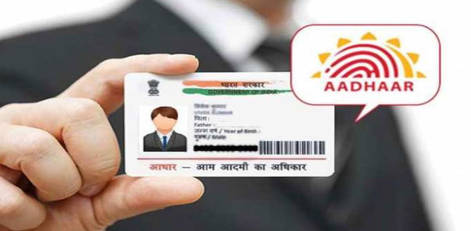
Service Code: PDS-01 (Aadhaar Enrollment) | Department: Civil Supplies and Consumer Protection Department
Purpose
The PDS Aadhaar Enrollment service enables ration card holders to link/update their Aadhaar number with their existing ration card through the e-District portal. This service is designed for:
- Existing ration card holders needing to seed Aadhaar numbers
- Family members whose Aadhaar is not yet linked to the ration card
- Households updating Aadhaar details for continued PDS benefits
- New members added to ration card requiring Aadhaar linkage
- All beneficiaries requiring Aadhaar seeding for subsidy transfer
Required Information
Mandatory Details
- Ration Card Number (existing PDS ration card number)
- e-Aadhaar document (PDF copy of Aadhaar or Aadhaar letter)
- Member Details (selecting family member to link Aadhaar)
- Relationship with head of family (for verification)
Special Requirements
- Document Upload: Must upload e-Aadhaar (PDF format) for verification
- Auto-Population: Member details automatically populate upon ration card number entry
- Member Selection: Choose specific family member for Aadhaar linking
- Relationship Selection: Select proper relationship with head of family
- Data Update: Aadhaar number gets updated in ration card database upon successful enrollment
Step-by-Step Application Process
1. Access the Portal
Login to the Tamil Nadu e-District Portal as an Operator
2. Navigate to Service
- Click on Services from the left panel
- Select Civil Supplies and Consumer Protection Department
- Click on Application for Aadhaar Enrollment
3. Enter Ration Card Details
- Enter Ration Card Number
- Ensure details match existing records
4. Upload e-Aadhaar
- Upload e-Aadhaar PDF document
- Ensure file is clear and legible
5. Get Details
- Click Get Detail
- System fetches existing family details
6. View Populated Member Details
- Family member list appears automatically
- Check Aadhaar linking status
7. Select Member and Link Aadhaar
- Select family member
- Choose relationship with head of family
- Verify detailsls match Aadhaar
8. Add Member
- Click Add Member to process linking
9. Save Data
- Click Save
- Confirmation message: Data is saved successfully and updated
10. Confirmation
- Aadhaar successfully linked to selected member
Document Requirements
Mandatory Document
- e-Aadhaar PDF (must be clear and match details)
Optional Documents
- Aadhaar card (physical copy)
- Ration card copy
- Identity proof (for mismatch cases)
After Submission
- Instant Update: Aadhaar updated immediately
- Verification: Validated with UIDAI database
- Confirmation: Success message displayed
- Seeding Complete: Ready for PDS benefits
Important Notes
- Valid Ration Card required
- e-Aadhaar PDF mandatory
- Verify auto-filled details
- Select correct member
- Name should match Aadhaar
- Repeat process for multiple members
- Aadhaar linking required for subsidies
Benefits of Aadhaar Seeding
- Continued PDS benefits
- Direct Benefit Transfer (DBT)
- Eliminates duplicates
- Faster verification
- One Nation One Ration Card portability
Troubleshooting Tips
- Check ration card number if details don’t load
- Re-upload document if needed
- Ensure name matches Aadhaar
- Re-select correct member before saving
System Requirements
- Browser: Google Chrome
- Internet: Stable connection
- Format: PDF for e-Aadhaar
Assistance
- Apply via Tamil Nadu e-District Portal
- Visit e-Sevai Centre / CSC Centre
- Contact Civil Supplies Office
Disclaimer
This content is for informational purposes only. Always verify details with official government sources.
Top Stories
-
 Periyar Arivulagam Inaugurated in Coimbatore: ₹300 Crore Knowledge Centre Opens16/Oct/2026 1:02:11 PM
 -
 Top 6 Real Estate Hotspots in Chennai: Best Areas to Buy Land for Future Growth16/Oct/2026 12:57:53 PM
 -
 Rolls-Royce Opens New Luxury Car Showroom in Chennai’s Meenambakkam16/Oct/2026 12:50:55 PM
 -
 Magicbricks Appoints Mayank Jain as Chief Executive Officer16/Oct/2026 12:47:03 PM
 -
 VBJ Announces Divine Diwali Offers on Jewellery and Silverware16/Oct/2026 12:19:52 PM
 -
 Chennai to Trichy Special Train Today: Unreserved MEMU Service on October 16, 202616/Oct/2026 12:03:26 PM

 JB Soft System