
EPFO WhatsApp Service 2026: How to Check PF Balance and Download Your Passbook
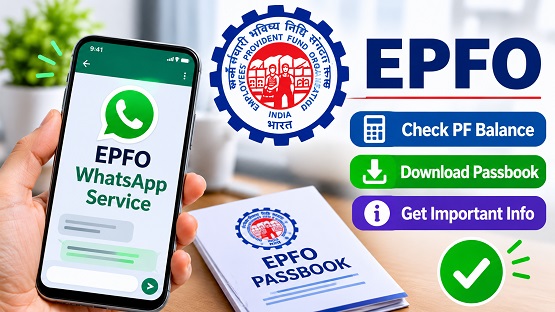
The Employees` Provident Fund Organisation (EPFO) has introduced WhatsApp-based services that allow members to access important Provident Fund (PF) account details directly through their mobile phones. Using this facility, subscribers can check their PF balance, view their last five transactions and download their EPF passbook without visiting an EPFO office.
The service was launched on November 1, 2026, as part of EPFO`s digital service initiatives. Members can access these facilities by sending a simple message to the organisation`s official WhatsApp number.
EPFO Official WhatsApp Number
Members can use the following number to access EPFO`s WhatsApp services:
EPFO WhatsApp Number: +91 87964 41800
Save this number in your mobile contacts and start a WhatsApp conversation by sending Hi. The service requires the mobile number linked to your UAN for account verification.
What Services Are Available Through EPFO WhatsApp?
The new WhatsApp facility provides access to the following PF-related services:
- Check PF Balance: View the available balance in your EPF account.
- Last Five Transactions: Check the details of your five most recent PF transactions.
- Download Passbook: Access your EPF passbook through WhatsApp.
How to Check PF Balance Through WhatsApp
Follow these steps to check your PF account balance:
1. Save the official EPFO WhatsApp number +91 87964 41800 in your phone contacts.
2. Open WhatsApp and send Hi to the saved number.
3. The chatbot will display a welcome message and ask you to select your preferred language.
4. Choose your language from the available options.
5. Select Check Balance from the menu.
6. Complete the OTP verification using the OTP sent to your registered mobile number.
7. After successful verification, select the relevant PF member ID, if prompted.
8. Your PF balance details will be displayed in the WhatsApp chat.
How to Download EPF Passbook Through WhatsApp
EPFO members can also access their PF passbook through the same WhatsApp service.
1. Open the official EPFO WhatsApp chat.
2. Send Hi and select your preferred language.
3. Choose the Download Passbook option from the menu.
4. Complete the required OTP verification.
5. Select the relevant PF member ID, if required.
6. The passbook will be provided as a PDF file through WhatsApp.
According to the supplied report, the downloaded PDF is password-protected. The date of birth in DDMMYY format can be used as the password to open the file.
What If Multiple PF Member IDs Are Linked to Your UAN?
Some employees may have multiple PF member IDs linked to their UAN because of employment with different organisations. In such cases, members may need to select the specific member ID to view the corresponding balance, transaction details or passbook.
Important Safety Precautions While Using EPFO WhatsApp Services
Members should use only the official EPFO WhatsApp number and verify that they are chatting with the organisation`s genuine account.
Do not share your UAN password, Aadhaar number, PAN details or banking passwords with unknown individuals or suspicious accccounts. Enter OTPs only when completing a verification process within the verified EPFO service. Avoid clicking on unverified links claiming to provide PF balance or withdrawal services.
The WhatsApp facility offers a convenient way to access basic PF account information without having to navigate multiple online services.
Top Stories
-
 Tomorrow Panchangam November 10, 2026 | Auspicious Timings, Rahu Kalam, Gulikai09/Nov/2026 5:22:02 PM
-

-
EPFO WhatsApp Service 2026: How to Check PF Balance and Download Your Passbook09/Nov/2026 5:06:12 PM
-

-
 Thiruchendur Kandha Sashti Festival Begins Tomorrow with Yagasala Pooja09/Nov/2026 4:46:55 PM
-
 Bigg Boss Tamil 10 Promo: Vinoth Babu Becomes Junior Bigg Boss in Unexpected Power Shift09/Nov/2026 4:32:05 PM

 JB Soft System