
How to Track and Understand Your Power Consumption Using the Official TNEB Mobile App
Most households in Chennai only think about their electricity usage when the bi-monthly bill arrives. By then, it is too late to make changes if you have already crossed into a higher tariff slab.
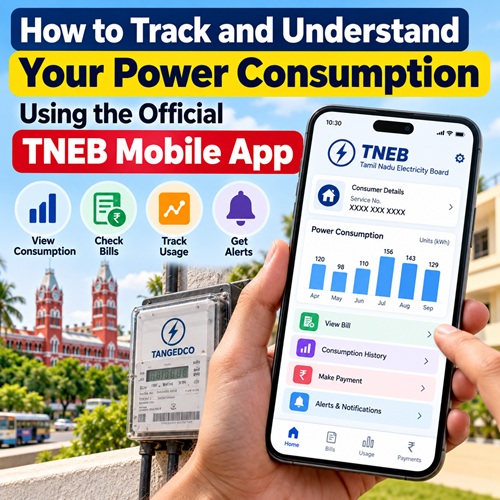
Following the migration to Tamil Nadu Power Distribution Corporation Limited (TNPDCL), the official TNEB Mobile App has been completely updated. The app functions as a digital energy tracker in your pocket, allowing you to monitor your consumption history, verify reading dates, and ensure you never pay extra convenience fees to third-party platforms.
Here is a complete guide to setting up and maximizing the app to keep your electricity bills in check.
Step 1: Securely Download and Register
To protect your financial information from fraudulent clone apps circulating online, always use the verified direct stores:
1. Download: Open the Google Play Store Link or Apple App Store and search for "TNEB Mobile App (Official)". Look for TANGEDCO listed as the official developer.
2. Sign Up: If you are a first-time user, tap Sign Up. Enter your 10-digit Consumer Service Number (including your region code, e.g., 01 for Chennai).
3. OTP Verification: The app will fetch the name registered to the connection. Confirm your details and enter the OTP sent to your linked mobile number to set up a secure 4-digit login pin.
Step 2: Unlocking the App`s Power Features
Once logged into the dashboard, navigate past the basic quick-pay buttons to access these high-utility tracking tools:
1. My Consumption Analytics
What it shows: This tab provides a clear visual bar chart mapping your bi-monthly unit consumption over the past year.
How to use it: Compare your current month`s trajectory against the same month from the previous year. If your usage is significantly higher but your household lifestyle hasn`t changed, it may indicate AC maintenance issues or current leakage in your home inverter circuit.
2. Check Assessment Dates & Reading Accuracy
What it shows: This section displays the exact date the local assessor logged your meter reading alongside the recorded digital digits.
How to use it: Assessors follow a strict 60-day cycle. If an assessor logs your reading late (e.g., on day 63 or 64), those extra days of power usage can push your total units into a more expensive tariff slab. Use the app to confirm your reading date, cross-check the recorded digits against your physical meter, and catch discrepancies early.
3. Direct, Zero-Fee Billing
What it shows: Your active, unpaid bill amounts.
How to use it: Paying through third-party digital wallets often introduces hidden convenience platforms fees or processing delays. Paying directly inside the official app ensures your receipt generates instantly and updates the TNPDCL central grid database in real-time.
Smart Tips for C Chennai App Users
Add Multiple Connections: If you own a rented flat, look after an elderly parent’s house in another part of Chennai, or manage a separate shop meter, you can add up to 5 different consumer numbers to a single app account to track and pay bills seamlessly.
Download Official Receipts: If you need an official address proof document for a passport application or a bank loan, navigate to the History tab inside the app to download official, digitally signed PDF receipts for your past three billing cycles.
Now that you have a comprehensive set of evergreen articles, I can help you with your digital strategy.
Top Stories
-
 Vibe Coding: How AI Is Changing the Way People Build Software30/Oct/2026 3:01:01 PM
 -
 Diwali 2026 Safety Tips: Dos and Don'ts to Prevent Fire Accidents30/Oct/2026 2:55:27 PM
 -
 AI Trainer Jobs: Career Opportunities, Salary and Future Growth30/Oct/2026 2:24:44 PM
 -
 On-Grid vs Hybrid Solar Systems: Which Is Best for Your Home in Chennai?30/Oct/2026 2:18:31 PM
 -
 Apple MacBook Pro Touchscreen: New Features, OLED Display, Price and Release Date30/Oct/2026 1:50:19 PM
 -
How to Track and Understand Your Power Consumption Using the Official TNEB Mobile App30/Oct/2026 11:26:34 AM

 JB Soft System